
Message Tips
Guiding users to richer experiences
Overview
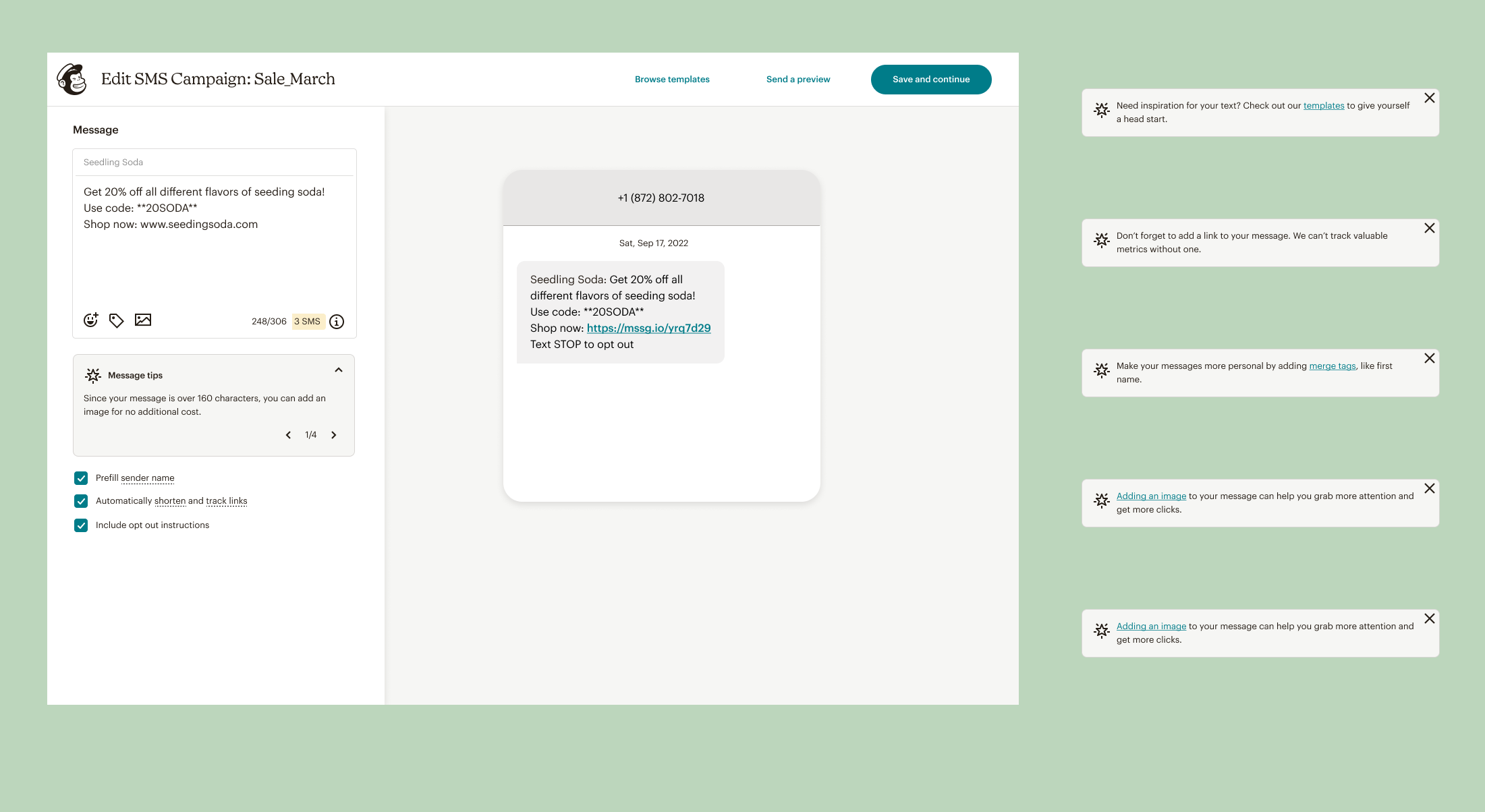
Message tips add recommendations to the Mailchimp SMS message builder, offering suggestions that educate users about the full scope of capabilities of SMS.
This can help users improve the quality and effectiveness of their messages, and increase their confidence in the messages they are sending.
This was phase 1 of a larger scope, which included using a customer’s data to deliver tips that are tailored to where they are in our user funnel, and to their specific brand needs.
Background
We had gotten a lot of feedback from our users that they wanted more contextual help from us. By providing this, we could solidify our status as experts and increase customer trust.
Awareness of certain features in the builder, like templates and adding images, was very low, and adding message tips could bring more interaction to these low-performing features.
Competitive Research
We launched Mailchimp SMS in August 2023, so by February 2024, we needed a heuristic analysis of the builder to see what areas were working and what needed improvement. As part of that exercise, I did an analysis of our competitors.
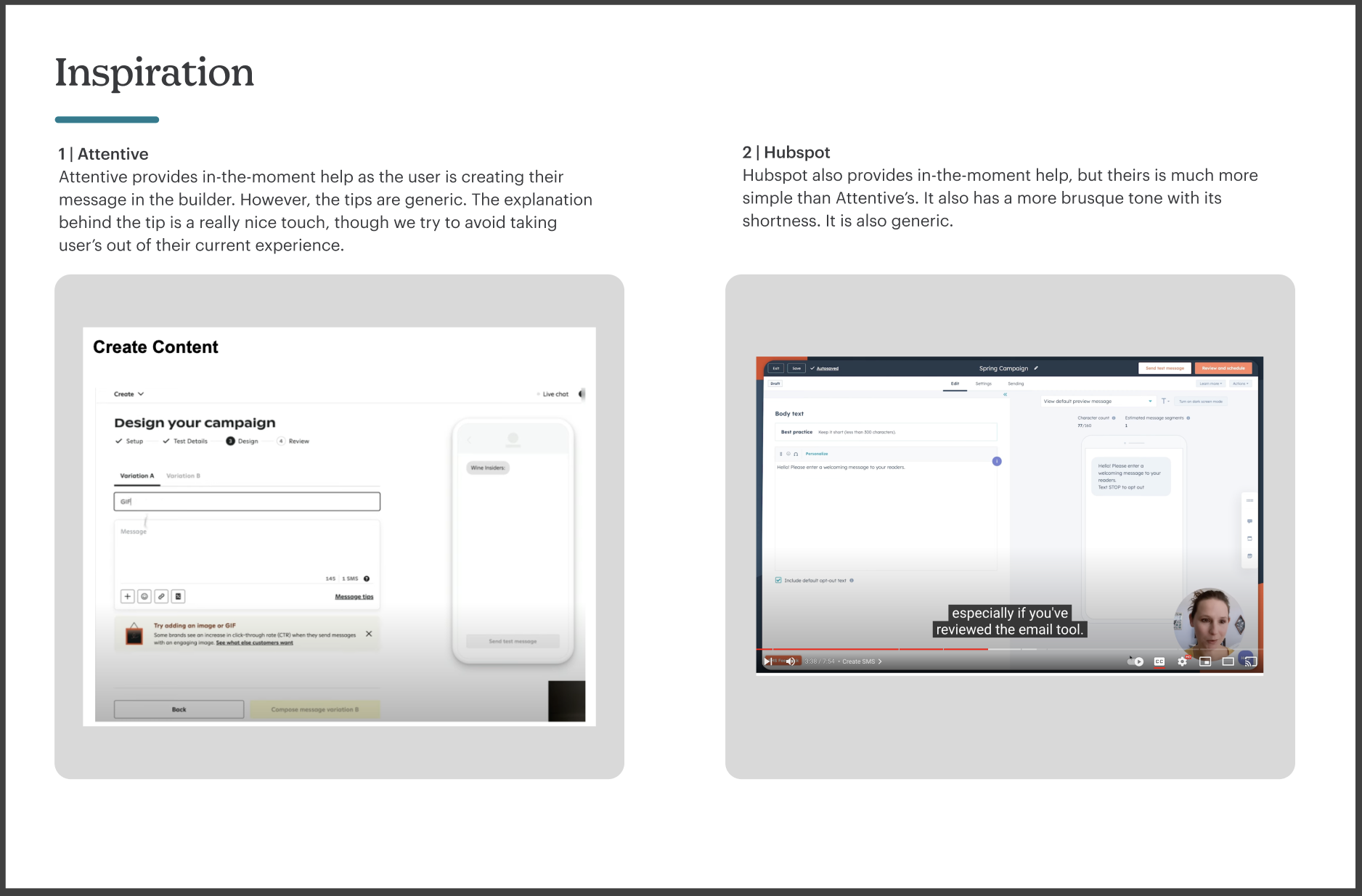
In that analysis, I discovered that only 2 competitors offered message tips, Hubspot and Attentive, offered message tips and they seemed to be general, not smart or tailored specifically to the customer. This felt like an opportunity to gain a competitive advantage.
Feature Analytics
Tapping into our Amplitude analytics dashboards, I noticed trends with certain features. They had much lower user interaction than other parts of the builder.
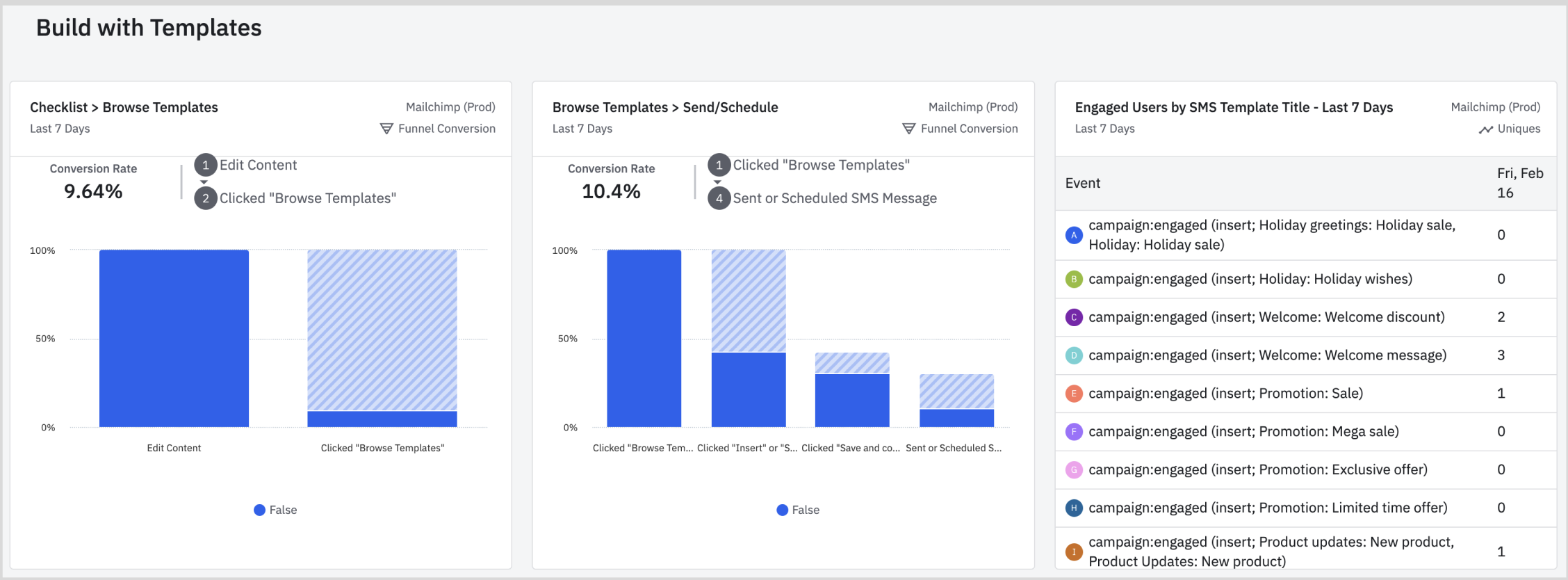
Both of these graphs show the very low number of users who are interacting with templates, and the equally low number of users who inserted a template, or even continued on once they clicked in to the Browse Templates modal.
There are several interpretations here: one, that the button is in the wrong place, so users don’t see it in context as they are building their message, or that the idea of a template isn’t interesting to them. Also, the drop in numbers after users click in to templates signals that what are seeing isn’t helpful or interesting to them.
This signaled a big opportunity for experiments to improve these numbers, and introducing message tips became the first.
Design Exploration
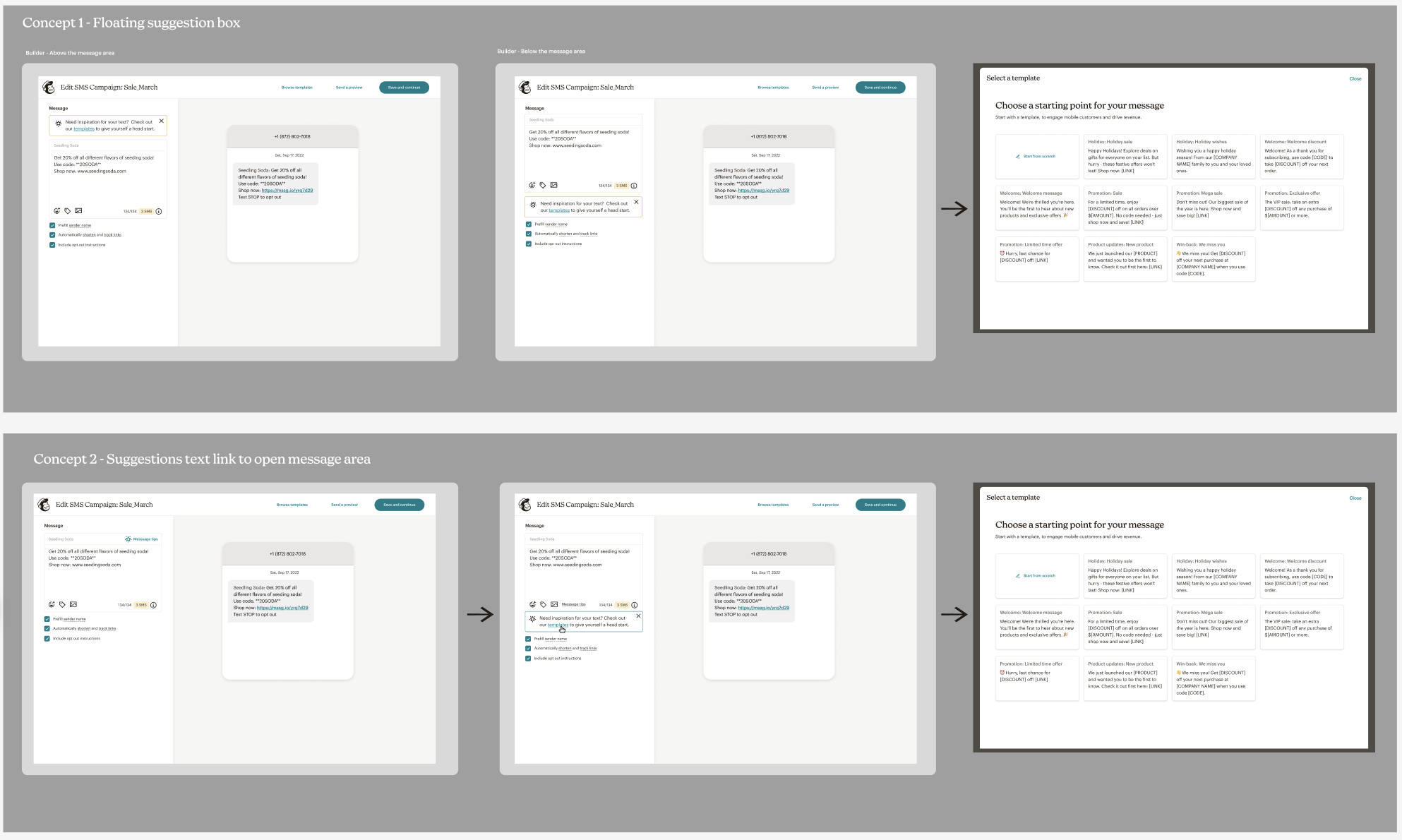
Using Mailchimp’s design system, I created several designs for how this feature could appear in the SMS builder. This went through a few rounds of team critique and iterations before we felt it was ready for customer testing.
Usability Testing
Our SMS team had a customer panel, a group of 12 current Mailchimp SMS customers that committed their valuable time to us, meeting with them every 2 weeks for a quarter. We got their feedback on in-progress designs, current functionality, and Q&A about their businesses and experience with Mailchimp.
I brought my designs as prototypes to the customer panel, showcasing the design in 3 different ways. I also asked questions about the features we were educating them on in the message tip.
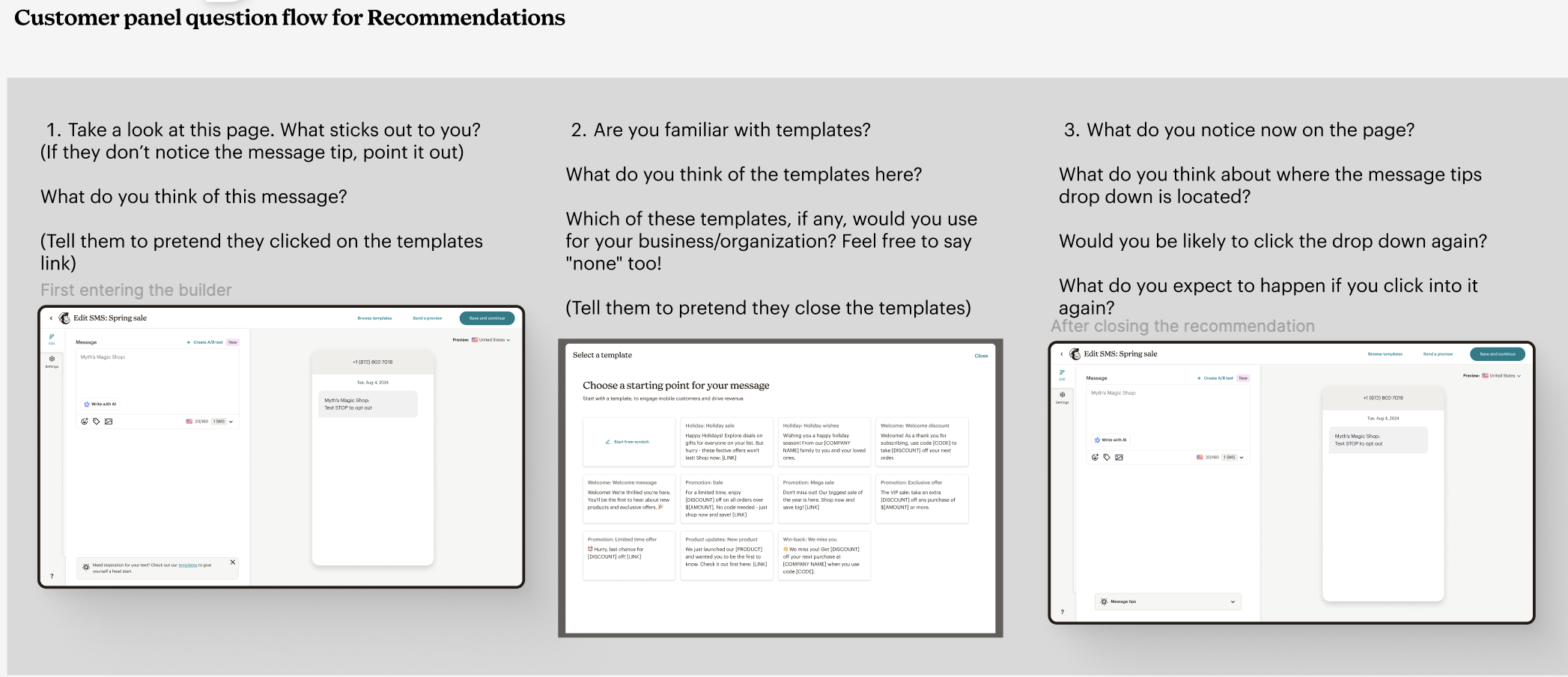
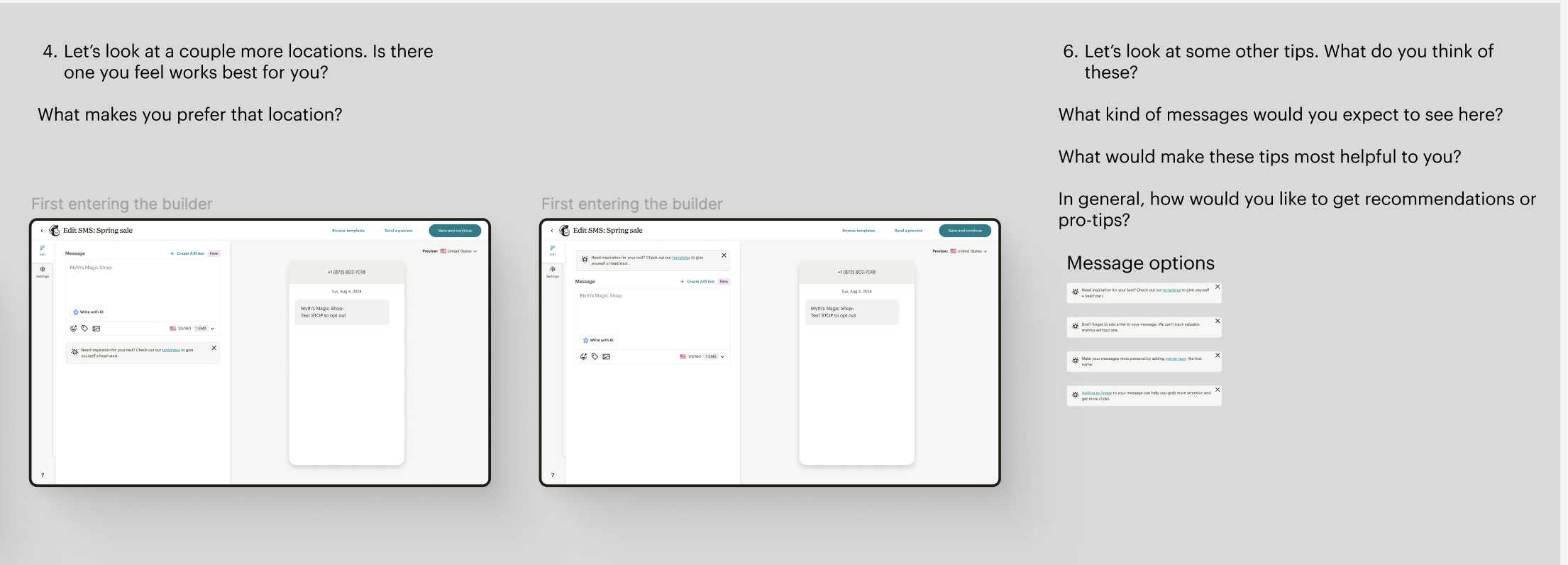
The response to the concept was overwhelmingly positive, confirming that not only that users wanted more guidance in the app, but also that awareness of the feature was low because of the button placement.
This not only gave us confidence in launching the feature as a live experiment, but gave me more ideas for future iterations of message tips and the builder itself.
Live Experiment
Our team’s roadmap was extremely full, but Intuit’s Global Engineering Days, a week long code-a-thon that allow designers and engineers to work on their passion projects, felt like the perfect opportunity to get this experiment built quickly.
I formed a team of front and backend engineers, and by the end of the week, we had the message tips feature completely finished and behind a flag, ready to go!
 Alyssa Jackson